Bookmarks that remember what you meant.
A Chrome extension for saving pages and finding them again by meaning, not just keywords. Search runs locally on a small AI model in your browser — nothing leaves your device by default. Sync is opt-in, to your own Google Drive or Dropbox.
Install
What's inside
-
4-way hybrid search
Keyword, BM25 full-text, semantic vector search, and a fused ranker that combines all three. Type a vibe; get the page.
-
On-device AI
The embedding model (all-MiniLM-L6-v2) runs in a Web Worker via WebAssembly. No server, no API keys, no telemetry.
-
Local-first storage
SQLite + sqlite-vec inside OPFS, persisted by the browser. Automatic backups so a crashed tab can't lose your library.
-
Optional cloud sync
Bring your own storage — Google Drive or Dropbox, or both. Field-level CRDT merge so edits on two devices won't clobber each other.
-
Multilingual by default
Accent-insensitive search via trigram tokenizer with diacritic stripping. Works on Portuguese, Spanish, French, German content.
-
Twitter-aware
Saves tweets through the oEmbed API so the actual text gets indexed, not just the URL.
How it works
-
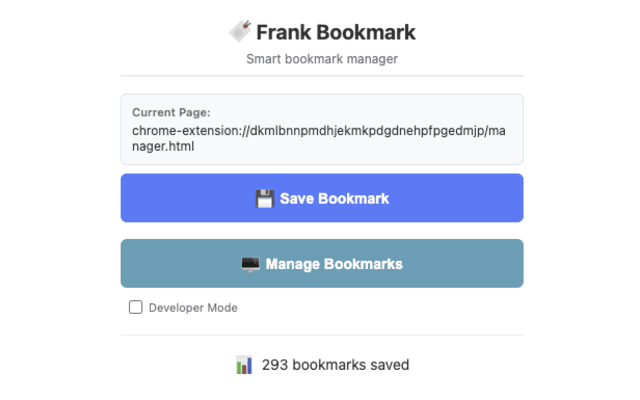
1. Click the bookmark icon on any page
Frank extracts the main content with Mozilla Readability, generates tags, and embeds a 384-dim vector of the title, description, and tags — all in-browser, in a background worker.
-
2. Search by what you remember
“That post about goroutine scheduling” finds the right page even if the words goroutine and scheduling never appear together verbatim. Hybrid ranking picks the strongest signal.
-
3. Sync if you want, don't if you don't
Connect Google Drive, Dropbox, or both, and Frank chunks your library into ~50-bookmark files and uploads them to an app-scoped folder you control. Turn it off and everything still works offline.
What about privacy?
By default Frank Bookmark stores everything in your browser's Origin Private File System and runs the embedding model on your machine. No analytics, no third-party requests, no account to create.
If you turn on sync, the only network traffic is between your browser and the provider you chose (Google Drive or Dropbox), using a folder scoped to this extension. Nothing routes through a server we run, because we don't run one.